Sk digital Marketing

Blogs

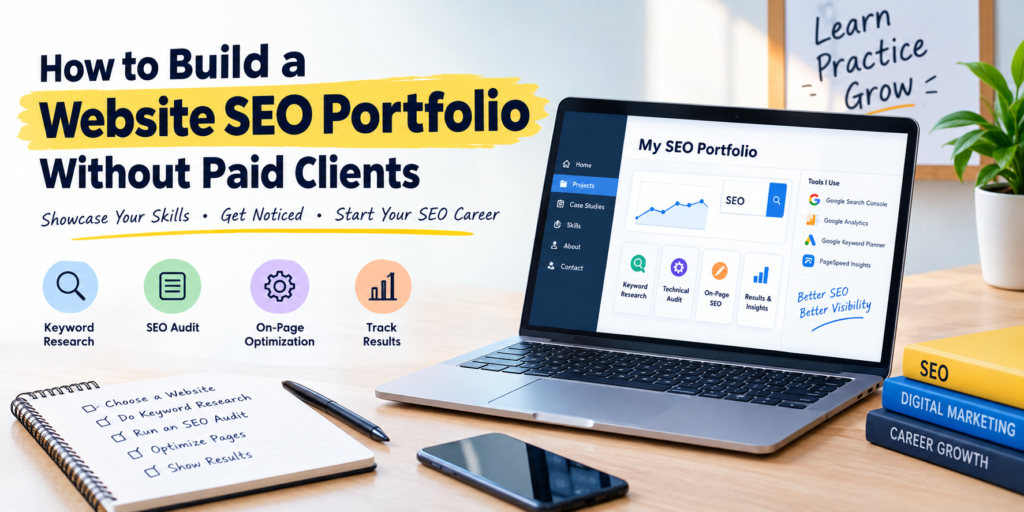
Build Your SEO Portfolio Without Clients

How to Build a Website SEO Portfolio Without Paid Clients

Starting an SEO career can feel challenging when every job or client seems to ask for experience. You may understand keyword research, on-page SEO, technical SEO, and link building, but how can you prove your skills without having paid clients? The good news is that you do not need a long list of clients to build a strong SEO portfolio. You can demonstrate your knowledge through personal websites, practice projects, sample SEO audits, keyword research reports, and real improvements made to websites you manage. A well-organized SEO portfolio helps employers, agencies, and potential clients understand your skills and approach to search engine optimization. In this guide, you will learn how to create a professional website SEO portfolio from scratch, even if you are a beginner. What Is an SEO Portfolio? An SEO portfolio is a collection of projects, reports, and examples that demonstrate your ability to improve a website’s visibility in search engines. It shows what you know, how you approach SEO problems, and how you measure results. Your portfolio can include keyword research, website audits, content optimization, technical SEO checks, competitor analysis, and Google Search Console reports. You do not need paid projects to showcase these skills. Instead of focusing only on the number of clients you have worked with, focus on the quality of your work, your problem-solving ability, and the evidence supporting your findings. Choose a Website for Your First SEO Project The easiest way to begin building an SEO portfolio is to select a website you can work on independently. This gives you an opportunity to apply your knowledge and document your progress. You can start with: Choose one website and establish its current condition before making changes. Record the existing page titles, meta descriptions, content structure, indexing status, and available performance data. This baseline will help you explain what you changed and why. Perform Keyword Research and Create a Keyword Map Keyword research is one of the most valuable skills you can demonstrate in an SEO portfolio. It shows that you understand search intent and can identify opportunities for relevant organic traffic. Start by choosing a main topic for your website. Use tools such as Google Keyword Planner, Google Trends, and Google Search Console, where available, to explore relevant search queries. Next, organize keywords according to their intent. For example, a digital marketing website might target informational queries such as “how to learn SEO” and course-related queries such as “SEO Course for Beginners.” Create a keyword mapping spreadsheet with these details: This spreadsheet demonstrates that you can turn keyword research into a practical SEO strategy. Include a short explanation of why each keyword belongs on a particular page. Create a Website SEO Audit Report A website SEO audit is an excellent portfolio project because it demonstrates your ability to identify issues and recommend solutions. Review the website’s major SEO elements, including: Tools such as Google Search Console, Google PageSpeed Insights, and website crawling software can help you collect useful findings. Present your audit in a spreadsheet or PDF. For every issue, explain what you found, why it matters, and what action you recommend. If you have implemented the fix, include evidence of the completed work. If it is only a recommendation, label it clearly. Optimize Existing Pages and Document Your Changes An SEO portfolio should demonstrate practical work, not just theoretical knowledge. Choose two or three pages and improve their optimization. You could rewrite title tags and meta descriptions, reorganize headings, improve content relevance, add useful internal links, optimize images, or update outdated information. Document each change with a simple before-and-after comparison. Explain the original problem, the action taken, and the expected outcome. For example, you might show how you rewrote a vague page title to make it more descriptive and aligned with the target search intent. This proves that you understand on-page SEO and can explain your decisions. Remember that better optimization does not guarantee higher rankings. Be transparent about which changes you made and which results, if any, you observed. Use Google Search Console to Show Results Google Search Console is especially useful when you want to demonstrate SEO progress without paid clients. Once your website has been verified and enough data has accumulated, you can use its Performance report to track impressions, clicks, click-through rate, and average position. Compare performance across relevant periods and explain what changed during that time. You can also review which pages and search queries are generating visibility. If your website is new and has not received meaningful traffic yet, you can still include your keyword research, indexing checks, technical fixes, and content optimization work. Do not invent traffic numbers or ranking improvements to make your portfolio look impressive. A clear explanation of your process is more credible than unsupported claims about SEO success. Build a Personal SEO Portfolio Website Once you have completed a few projects, create a dedicated portfolio website to present your work professionally. You can use WordPress or another website platform that you are comfortable managing. Include these essential sections: About Me: Introduce yourself, explain your SEO interests, and summarize your relevant skills. SEO Projects: Present your keyword research, technical audits, on-page optimization, and other practical work. Tools and Skills: Mention tools you have genuinely used, such as Google Search Console, Google Analytics, Google Keyword Planner, and PageSpeed Insights. Case Studies: Explain the problem, your approach, the actions taken, and the verified results where available. Contact Information: Provide a professional email address or another appropriate contact method. Keep the design simple, make the website easy to navigate, and ensure it works well on mobile devices. Your portfolio website can also become a live demonstration of your own SEO skills. Present Your Projects as SEO Case Studies Case studies make your portfolio easier to understand because they show how you approach a specific problem. Use a consistent structure for each project: You can create a case study from a personal blog, a practice website, or an authorized audit. Clearly label sample projects and distinguish

How to Build a Website SEO Portfolio Without Paid Clients Read More »

Digital Marketing Desk Banner

Digital Marketing Classes in Panchkula: What Makes a Course Worth Joining?

Digital marketing has become an important career skill for students, graduates, business owners, and working professionals. But with so many digital marketing courses and classes available, choosing the right one can be difficult. If you are searching for Digital Marketing Classes in Panchkula, don’t choose a course only because of its duration, fee, or promotional claims. A good course should help you understand how digital marketing works in the real world and give you opportunities to practise the skills you learn. Here are some important things to consider before joining a digital marketing course in Panchkula. 1. Check the Course Curriculum A good digital marketing course should cover the major areas of online marketing rather than focusing on just one skill. Look for a curriculum that includes: The digital marketing industry keeps changing, so the curriculum should also be updated regularly. 2. Look for Practical Training Digital marketing is not something you can learn effectively through theory alone. When comparing digital marketing classes in Panchkula, ask whether students get opportunities to work on practical tasks. For example, students should be able to practise: Practical learning can make it easier to understand how different marketing channels work together. 3. Live Projects Can Make a Big Difference One of the most useful parts of a digital marketing course is working on real or realistic projects. A live project allows students to move beyond classroom examples and understand challenges such as choosing the right keywords, analysing competitors, improving website visibility, and measuring campaign performance. Before joining a course, ask: Will I get an opportunity to work on live projects? If the answer is yes, find out what type of projects are included and how much hands-on work students actually perform. 4. Check Which Tools You Will Learn Digital marketers use several tools to research, execute, monitor, and measure campaigns. A worthwhile course should introduce students to commonly used tools such as: Learning the tools alongside marketing concepts can help students become more comfortable with real digital marketing tasks. 5. Ask About Internship Opportunities An internship can help students understand what working in a digital marketing environment is actually like. If you are a fresher, an internship can also give you practical experience to discuss during interviews. When comparing digital marketing training programs, ask whether the course provides internship opportunities and what responsibilities interns receive. A useful internship should involve actual learning and practical work rather than simply providing a certificate. 6. Consider the Trainers and Their Experience The person teaching the course can have a major impact on your learning experience. Instead of looking only at the trainer’s qualifications, consider whether they have practical experience in areas such as SEO, Google Ads, social media, content marketing, analytics, or website optimization. Experienced trainers can often explain concepts through real examples and common industry situations. 7. Don’t Choose a Course Only on the Basis of Fees Course fees are naturally an important factor, but the cheapest course may not always provide the best value. Instead of asking only, “How much does the course cost?”, compare what you receive for that fee. Look at: The right question is not simply whether a course is expensive or affordable. It is whether the course provides useful skills for the amount you are investing. 8. Check Career Support If your main goal is to build a career in digital marketing, career support can be an important part of your decision. A good training program may provide support with: However, students should also understand that completing a course does not automatically guarantee a job. Your practical skills, portfolio, communication, and ability to demonstrate what you have learned are equally important. 9. Look for a Course That Matches Your Goal Not everyone joins digital marketing classes for the same reason. You may want to: Your goal should influence the type of course you choose. For example, someone interested in SEO may need deeper training in technical SEO, keyword research, content optimization, and Google Search Console. Someone interested in paid advertising may want more practical exposure to Google Ads and campaign optimization. 10. Ask About AI in Digital Marketing AI is becoming an important part of modern marketing workflows. Today, marketers can use AI for tasks such as: However, learning AI tools alone is not enough. A strong digital marketing course should teach students how to use AI while still understanding marketing strategy, search intent, data, creativity, and quality control. What Makes Digital Marketing Classes Worth Joining? The best digital marketing classes are not necessarily the ones with the biggest advertisements or the longest list of promises. Look for a program that combines structured learning, practical assignments, live projects, current tools, experienced trainers, internship exposure, and career guidance. If you are comparing digital marketing classes in Panchkula, take some time to compare the curriculum and learning experience before making your decision. A good course should leave you with more than a certificate. It should help you develop practical skills that you can demonstrate through projects, portfolios, internships, and real marketing work. Final Thoughts Choosing the right digital marketing course is an important decision, especially if you are planning to build a career in this field. Before enrolling, compare the curriculum, practical training, projects, tools, trainers, internship opportunities, and career support. Most importantly, choose a course that matches your career goals and gives you enough opportunities to practise what you learn. For students and professionals exploring digital marketing classes in Panchkula, focusing on practical learning and industry-relevant skills can make the learning experience much more valuable. ======================================================================== SEO Meta Details

Digital Marketing Classes in Panchkula: What Makes a Course Worth Joining? Read More »

Off-Page SEO in 2026

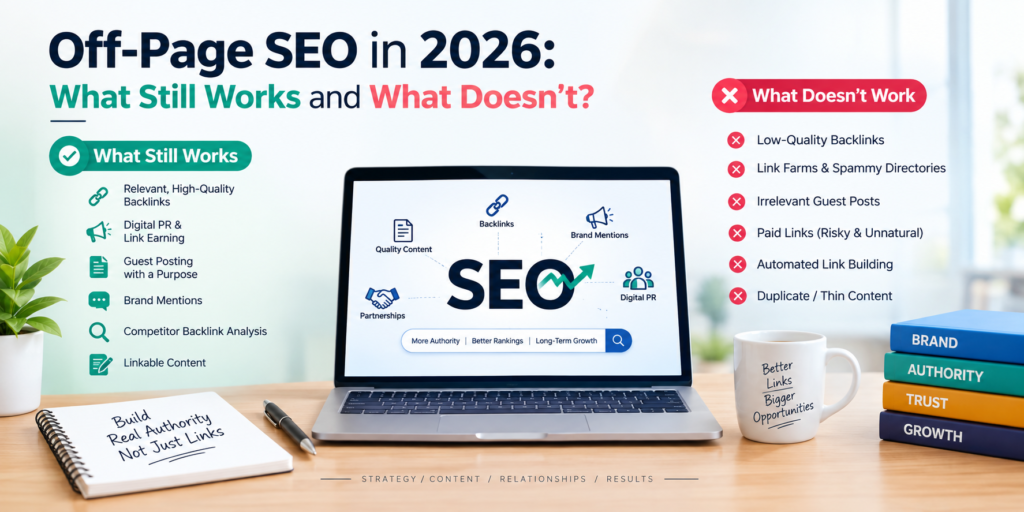
Off-Page SEO in 2026: What Still Works and What Doesn’t?

SEO is no longer just about adding keywords to web pages and building as many backlinks as possible. In 2026, search engines are becoming better at understanding relevance, authority, context, brand reputation, and the overall value of a website. This has changed the way marketers approach off-page SEO. Some traditional techniques are still useful when done properly, while others can waste time or even create risks for a website. The focus has moved from simply building links to building genuine authority and earning mentions from relevant sources. So, what actually works for off-page SEO in 2026, and which strategies should you avoid? Let’s look at the current approach. What Is Off-Page SEO? Off-page SEO refers to activities performed outside your own website to improve its visibility, authority, reputation, and ability to rank in search results. Backlinks are an important part of off-page SEO, but they are not the only factor. Modern off-page activities can include: The main objective is to show that your website and brand are useful and trusted beyond your own website. What Still Works for Off-Page SEO in 2026? 1. Relevant, High-Quality Backlinks Backlinks continue to be an important part of SEO, but the quality and relevance of a link matter more than simply increasing the number of referring domains. For example, a backlink to a digital marketing training website from a relevant marketing, business, education, or technology publication can be more meaningful than dozens of unrelated links. When evaluating a potential backlink, consider: The goal should be to build a relevant and natural backlink profile, not just a large one. 2. Digital PR and Link Earning Digital PR is becoming an increasingly useful part of off-page SEO. Instead of directly asking hundreds of websites for links, brands can create something worth talking about. For example, a company could publish: Journalists, bloggers, and industry websites may then reference that information in their own content. This approach can generate both brand visibility and valuable backlinks. 3. Guest Posting With a Purpose Guest posting has not completely disappeared. However, publishing low-quality articles on unrelated websites simply to obtain backlinks is not a strong long-term strategy. A better approach is to contribute genuinely useful content to websites that have a clear connection with your industry. For example, a digital marketing professional could contribute an article about SEO trends to a marketing publication or business website. The purpose should be: Relevant audience + useful content + genuine expertise rather than: Article + backlink = ranking 4. Brand Mentions Your brand can be discussed online even when another website doesn’t link to you. These brand mentions can help increase awareness and create opportunities for further promotion. For example, someone may write: “SK Digital Marketing offers digital marketing training for students and professionals.” Even without a hyperlink, this creates a reference to the brand. You can monitor relevant mentions and, where appropriate, contact publishers to see whether a useful source link can be added. 5. Competitor Backlink Analysis Your competitors can provide useful information about potential link opportunities. Tools such as Ahrefs, Semrush, and other SEO platforms can help identify websites linking to competing businesses. You can then investigate: The objective isn’t to copy every backlink your competitor has. Instead, use competitor analysis to discover relevant opportunities. 6. Linkable Content One of the best ways to earn backlinks is to create content that people naturally want to reference. Examples include: For example, instead of writing another generic article about “SEO Tips,” you could publish a detailed SEO Checklist for New Websites that marketers can reference when explaining SEO processes. Useful resources have a better chance of attracting natural links. 7. Local Citations and Reputation For businesses targeting specific locations, local citations and reputation management can still be important. Business information should be accurate and consistent across relevant platforms. Depending on the business, this can include: However, submitting your website to hundreds of random directories isn’t the goal. Focus on relevant and trustworthy platforms. What Doesn’t Work Well in 2026? 1. Buying Large Numbers of Low-Quality Backlinks Buying hundreds or thousands of backlinks from questionable websites may look attractive because it can increase link counts quickly. But link quantity alone doesn’t create authority. Links from irrelevant, low-quality, or spammy websites can provide little value and may create an unnatural backlink profile. SEO should focus on earning meaningful references rather than purchasing large volumes of links. 2. Automated Link Building Automated tools that create backlinks across blogs, forums, directories, comments, or other websites are not a sustainable SEO strategy. These systems often produce: Automation can be useful for research and analysis, but blindly generating backlinks is a different matter. 3. Comment Spam Leaving comments on hundreds of blogs simply to place a website link is an outdated approach. For example: “Great article! Visit our website for the best SEO services.” Repeated comments like this don’t provide meaningful value to readers. If you participate in an industry discussion, the contribution should be useful even without the link. 4. Excessive Exact-Match Anchor Text Anchor text is the clickable text used for a hyperlink. Suppose your target keyword is: digital marketing course in Panchkula Building large numbers of backlinks with exactly the same anchor text can look unnatural. A more natural backlink profile may contain different types of anchor text, including: The focus should be on natural linking rather than forcing keywords into every backlink. 5. Irrelevant Guest Posts Publishing articles on completely unrelated websites just because they offer backlinks is another strategy to avoid. For example, a digital marketing website doesn’t necessarily need backlinks from unrelated websites about completely different industries. Relevance matters. A smaller but highly relevant opportunity may be more useful than a large number of unrelated placements. 6. Private Blog Networks Used Solely for Manipulation Private blog networks, or PBNs, are networks of websites created or controlled primarily to manipulate search rankings through backlinks. Although these networks may appear powerful on the surface, they carry significant risks when used to manipulate rankings. Building

Off-Page SEO in 2026: What Still Works and What Doesn’t? Read More »

low-competition keywords

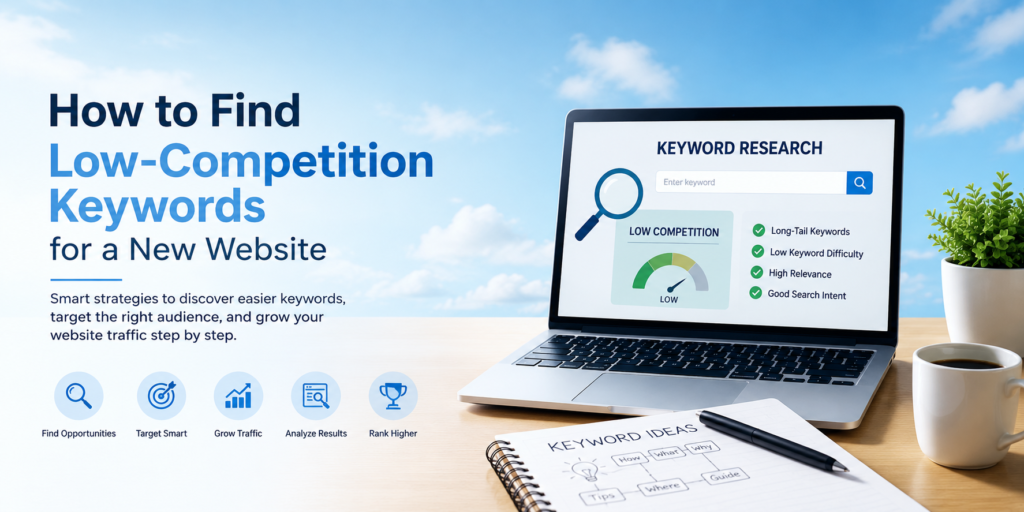
How to Find Low-Competition Keywords for a New Website

Launching a new website is exciting, but getting it to appear on Google can be challenging. Established websites often have strong domain authority, quality backlinks, and years of content behind them. For a new website, trying to rank immediately for highly competitive keywords can take a lot of time and effort. This is where low-competition keywords can help. Low-competition keywords are search terms that have fewer strong websites competing for top positions on Google. Finding and targeting these keywords can help a new website attract relevant organic traffic while gradually building its search visibility. But how do you find keywords that are easier to rank for? Let’s look at a practical process. What Are Low-Competition Keywords? Low-competition keywords are search terms where relatively fewer websites are competing strongly for the same search query. For example, a broad keyword such as “digital marketing” can be highly competitive. A more specific search such as “digital marketing checklist for small businesses” may have fewer pages competing for the exact intent. Low competition does not always mean zero competition. Instead, it means the keyword may present a more realistic ranking opportunity for a newer or less authoritative website. Why Should New Websites Target Low-Competition Keywords? New websites usually need time to establish authority and credibility. Targeting extremely competitive keywords from the beginning can make it difficult to generate organic traffic. Low-competition keywords can help you: The goal is not simply to find the easiest keyword. The goal is to find a keyword that has reasonable competition, relevant search intent, and value for your audience. 1. Start With Your Main Topic Before searching for keywords, clearly define your website’s main topic. For example, if you have a digital marketing website, your main topics could include: Start by creating a list of broad topics related to your products, services, or audience. These topics become your starting point for discovering more specific keywords. 2. Find Long-Tail Keywords Long-tail keywords are usually more specific search phrases containing several words. For example: Broad keyword:Digital marketing More specific keyword:Digital marketing strategies for small businesses Long-tail keyword:How to create a digital marketing strategy for a small business Long-tail keywords often have lower search volume than broad keywords, but they can provide more specific search intent. For a new website, creating useful content around relevant long-tail searches can be a practical way to build initial visibility. 3. Use Google Search Suggestions Google itself can provide useful keyword ideas. Start typing your main topic into Google and look at the suggested searches. For example, search: “SEO for…” Google may suggest variations related to: You can also scroll to the “People also ask” section and related searches to discover questions people are searching for. These suggestions can help you understand how users phrase their queries. 4. Look for Question-Based Keywords Question-based searches are particularly useful for informational content. Try finding keywords beginning with: For example: These queries can be turned into blog posts, FAQ sections, guides, and supporting content. They can also help you structure content around the questions users naturally ask. 5. Check Keyword Difficulty SEO tools provide metrics such as Keyword Difficulty (KD) or similar competition indicators. These metrics can help you compare keywords, but they should not be the only factor you consider. A keyword with a low difficulty score may still be difficult for your particular website if the search results are dominated by highly authoritative websites. Therefore, use keyword difficulty as a starting point, not as a guarantee of ranking. 6. Analyze the Google Search Results One of the most important steps is to manually check the current search results. Search your target keyword on Google and examine the pages appearing on the first page. Look at: If the first page contains highly authoritative websites with comprehensive content, the keyword may be difficult. If you find smaller or less specialized websites ranking with relatively simple content, there may be an opportunity to create something more useful and relevant. 7. Study Your Competitors Competitor websites can be a valuable source of keyword ideas. Find websites that are similar to yours and examine the topics they rank for. Look for keywords where competitors have: You don’t need to copy their content. Instead, use competitor research to identify topics that your own website can cover more clearly and comprehensively. 8. Consider Search Intent Search intent refers to what a person actually wants when they search for something. There are several common types of search intent: Informational:The user wants to learn something. Navigational:The user wants to find a specific website or page. Commercial:The user is researching a product or service before making a decision. Transactional:The user is ready to take an action, such as purchasing or signing up. For a new website, matching search intent is extremely important. If someone searches “how to do keyword research”, they probably want a guide rather than a sales page. Your content should satisfy that intent. 9. Don’t Ignore Low-Volume Keywords A common mistake is rejecting keywords simply because their monthly search volume is low. A keyword with 50 searches per month may seem insignificant. But if those searches come from people who are highly relevant to your business, the keyword can still be valuable. For example, a niche B2B keyword may have low search volume but attract people who are much more likely to become customers. Instead of focusing only on traffic volume, consider: Relevance + Search Intent + Competition + Business Value 10. Create Keyword Clusters Instead of creating one article for every similar keyword, group related keywords together. For example, these keywords could belong to one content cluster: One comprehensive article can potentially address several closely related searches. This approach can help create a stronger and more organized website structure. 11. Build Content Around Your Keywords Once you’ve identified your target keywords, create genuinely useful content around them. Don’t simply repeat the keyword throughout the article. Instead: Google’s search results are designed to help users find useful information, so focus on satisfying the

How to Find Low-Competition Keywords for a New Website Read More »

AEO and GEO training

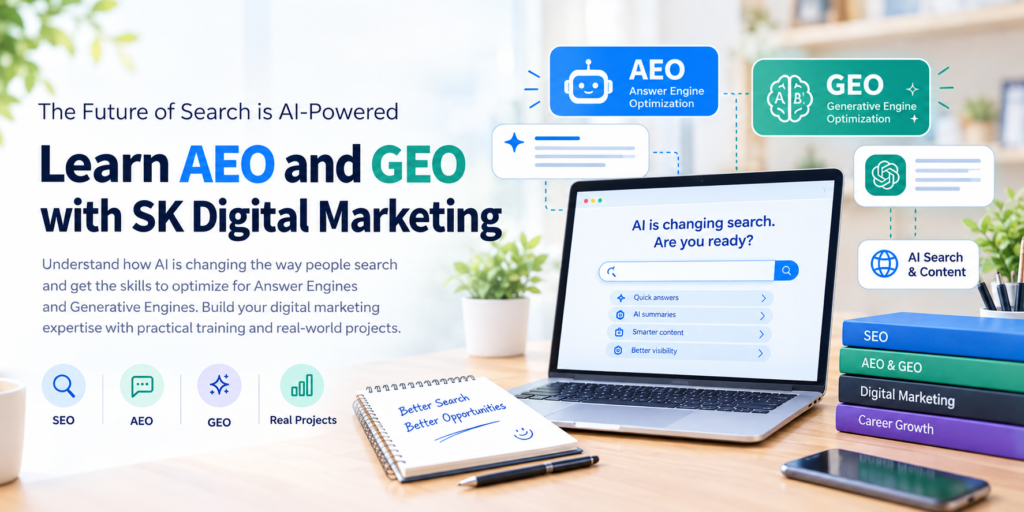
Learn AEO and GEO in a Digital Marketing Course: What Will You Study?

Search is changing. People are no longer relying only on traditional search engine results to find information. They are increasingly using AI-powered platforms such as ChatGPT, Google AI features, Microsoft Copilot, and Perplexity to ask questions, compare options, and discover businesses. This shift has introduced two important digital marketing concepts: Answer Engine Optimization (AEO) and Generative Engine Optimization (GEO). If you are planning to learn digital marketing, understanding AEO and GEO can help you develop skills for the changing search landscape. But what exactly do you study when AEO and GEO are included in a digital marketing course? Let’s explore the key topics, practical skills, tools, and strategies you can learn. What Are AEO and GEO? What is AEO? Answer Engine Optimization (AEO) focuses on creating and optimizing content so that it can provide direct answers to users’ questions. Traditional SEO often focuses on ranking webpages in search results. AEO goes a step further by structuring information in a way that makes it easier for search engines and answer engines to understand and extract useful answers. For example, instead of searching: “best digital marketing course” a user might ask: “What should I learn in a digital marketing course?” Content optimized for AEO should provide a clear, direct, and useful answer. What is GEO? Generative Engine Optimization (GEO) focuses on improving the visibility and representation of a brand or website in AI-generated search responses. AI platforms analyze information from multiple sources and generate responses based on the information they find. GEO involves creating trustworthy, well-structured, relevant content that AI systems can understand and potentially reference. AEO and GEO are closely related to SEO but focus more heavily on answers, context, entities, structured information, and AI-driven search experiences. Why Should Digital Marketing Students Learn AEO and GEO? Digital marketing is continuously evolving. SEO is still an important skill, but marketers also need to understand how users discover information through AI-powered search. Learning AEO and GEO can help students understand: The goal is not to replace SEO with AEO or GEO. Instead, students can learn how these approaches complement traditional SEO. What Will You Study in AEO and GEO Training? A practical digital marketing course that includes AEO and GEO may cover several important areas. 1. Understanding AI-Powered Search The first step is understanding how modern search is changing. Students can learn about: This foundation helps students understand why content needs to be useful not only for search engines but also for people and AI-driven experiences. 2. Understanding Search Intent Search intent is an important part of SEO, AEO, and GEO. Students can learn how to identify whether someone is looking for: For AEO, understanding the exact question behind a search is especially important. For example: Query: “How long does SEO take to show results?” A useful AEO-focused page should answer the question directly before providing additional details. 3. Keyword and Question Research AEO introduces a stronger focus on questions and conversational searches. Students can learn how to research: This research can then be used to create content that answers the questions users are actually asking. 4. Creating Answer-Focused Content Students can learn how to write content that provides clear answers without unnecessary complexity. A good AEO-focused answer generally needs to be: For example, instead of hiding the answer deep inside a long paragraph, a blog can answer the main question in the opening section and then explain the topic in greater detail. 5. Optimizing FAQs for AEO FAQs can be an important part of an answer-focused content strategy. Students can learn how to: For example, a digital marketing course page could answer questions such as: What is included in a digital marketing course? Is SEO included in digital marketing training? Can beginners learn digital marketing? What tools are used in digital marketing? These questions can address the information users need before choosing a course. 6. Content Structuring for AI Search GEO and AEO require marketers to think carefully about how information is presented. Students can learn how to organize content using: Well-structured content makes it easier for both users and automated systems to understand the relationships between different pieces of information. 7. Entity and Topic Optimization GEO goes beyond individual keywords. Students can learn about entities, topics, relationships, and context. For example, a page about digital marketing training should clearly establish relationships between concepts such as: Digital Marketing → SEO → AEO → GEO → Content Marketing → Google Ads → Social Media Marketing Building strong topical relationships can help search systems better understand what a website is about. 8. Building Topical Authority Another important skill is learning how to build content around a complete topic instead of publishing unrelated articles. For example, a website teaching digital marketing could create a content cluster around AEO: These articles can be internally linked to create a stronger topical structure. 9. Understanding Schema Markup Students can also learn how structured data works and where it can be useful. Topics may include: Schema should not be treated as a shortcut to AI visibility. Instead, students should understand it as one part of a broader technical and content strategy. 10. Measuring AEO and GEO Performance A modern digital marketing course should also teach students how to analyze results. Students can learn to monitor: Because AI search is evolving quickly, measurement can be more complex than simply checking a traditional keyword ranking. What Tools Can You Learn for AEO and GEO? A practical training program can introduce students to different tools used for research, content development, SEO, and analysis. Depending on the course curriculum, students may work with tools such as: The important part is not simply learning the names of these tools. Students should learn when and why to use each tool. How AEO and GEO Fit Into a Digital Marketing Course AEO and GEO should not be studied separately from the rest of digital marketing. A complete learning path can look like: Digital Marketing Fundamentals → SEO → Keyword Research → Content Marketing → Technical

Learn AEO and GEO in a Digital Marketing Course: What Will You Study? Read More »

Digital Marketing Job with No Experience

How to Get a Digital Marketing Job With No Experience

Starting a career in digital marketing can seem difficult when every job posting asks for experience. If you are a fresher, student, recent graduate, or someone changing careers, you may wonder how you can get experience when no company is willing to hire you first. The good news is that you can get a digital marketing job without previous full-time experience. Employers often look at your practical skills, portfolio, understanding of digital platforms, and ability to produce results—not just the number of years mentioned on your resume. The key is to prove that you can actually do the work. 1. Learn the Basics of Digital Marketing Before applying for jobs, understand the major areas of digital marketing. You don’t need to master everything at once, but you should have a basic understanding of: For beginners, it is usually better to become comfortable with one or two areas first rather than trying to learn every digital marketing skill simultaneously. For example, you could start with SEO and content marketing, or Google Ads and social media advertising. 2. Build Practical Skills Through Projects One of the biggest problems freshers face is having knowledge but no practical experience. You can solve this by creating your own projects. You don’t necessarily need a paying client to build a portfolio. Start a small website, blog, Instagram page, or mock business project and apply what you have learned. For example, you could: These projects give you something concrete to discuss during an interview. 3. Create a Digital Marketing Portfolio A resume tells employers what you know. A portfolio shows them what you can do. As a beginner, your portfolio could include: SEO Project Show your keyword research, on-page SEO improvements, content strategy, and ranking progress. Google Ads Project Create a sample campaign showing campaign structure, keywords, ad copy, targeting, and conversion goals. Social Media Project Show a content calendar, post designs, captions, hashtags, and engagement strategy. Website Project Explain how you improved the structure, content, speed, or SEO of a website. Even if these are personal or practice projects, clearly label them as such. Don’t claim results you didn’t achieve. 4. Learn the Tools Used by Digital Marketers Knowing industry tools can make your profile stronger. Some useful tools to learn include: You don’t need to become an expert in every platform. Focus on the tools related to the role you want. For an SEO job, for example, Google Search Console, Google Analytics, keyword research tools, WordPress, and basic technical SEO knowledge can be particularly useful. 5. Take Certifications Certifications aren’t a replacement for practical experience, but they can help demonstrate that you understand the fundamentals. Beginners can explore certifications and courses related to: After completing a certification, don’t simply add the certificate to your resume. Apply the knowledge by creating a project and include that project in your portfolio. 6. Optimize Your Resume for Digital Marketing Jobs Your resume should focus on skills, projects, certifications, and measurable work. Instead of writing: “I am a fresher looking for a digital marketing job.” Write something more specific, such as: “Digital marketing beginner with practical experience in SEO, keyword research, content optimization, Google Search Console, and website analysis.” If you have completed personal projects, include them under a Projects section. For example: SEO Website Project Only mention numbers and results that you can genuinely support. 7. Apply for Internships and Entry-Level Roles If you have no professional experience, don’t focus only on jobs with titles such as “Digital Marketing Manager.” Look for entry-level positions such as: An internship can help you gain real-world experience, work with clients, understand deadlines, and learn how marketing teams operate. After gaining practical experience, moving into a full-time digital marketing role becomes much easier. 8. Don’t Wait Until You Feel 100% Ready Many beginners spend months learning but never apply for jobs because they believe they aren’t ready. You don’t need to know everything before applying. Digital marketing is a broad field, and even experienced marketers continue learning new platforms, algorithms, tools, and strategies. A better approach is: Learn → Practice → Build → Apply → Improve Start applying once you have a basic understanding of your chosen field and a few practical projects to demonstrate your skills. 9. Prepare for Digital Marketing Interviews Digital marketing interviews often include both theoretical and practical questions. You may be asked: Don’t memorize definitions alone. Try to explain how you would solve a real marketing problem. For example, if an interviewer asks why a website is receiving traffic but not generating leads, explain how you would examine the landing page, search intent, user experience, call-to-action, conversion tracking, traffic sources, and audience quality. 10. Use LinkedIn to Find Opportunities LinkedIn can be useful for finding entry-level digital marketing opportunities. Keep your profile focused on the type of role you want. Mention your skills, projects, certifications, and portfolio. You can also: Instead of simply writing “Looking for a job,” show what you can do. For example, you could share a small SEO audit of a website or explain how you performed keyword research for a practice project. 11. Consider Freelancing for Experience Freelancing can also help beginners develop practical experience. You can start with small projects such as: At the beginning, focus on building genuine experience and strong work samples rather than trying to handle large projects immediately. 12. Keep Learning After Getting Your First Job Getting your first digital marketing job is only the beginning. Search algorithms change. Advertising platforms introduce new features. AI is changing content creation and search. Social media platforms continuously evolve. Make continuous learning part of your career. Follow industry updates, experiment with new tools, analyze successful campaigns, and keep improving your practical skills. A Simple Roadmap to Get Your First Digital Marketing Job If you’re starting from zero, follow this roadmap: Step 1: Choose an area such as SEO, PPC, social media, or content marketing. Step 2: Learn the fundamentals. Step 3: Learn the important tools. Step 4: Build 2–3 practical

How to Get a Digital Marketing Job With No Experience Read More »

Reduce Cost Per Lead in Google Ads

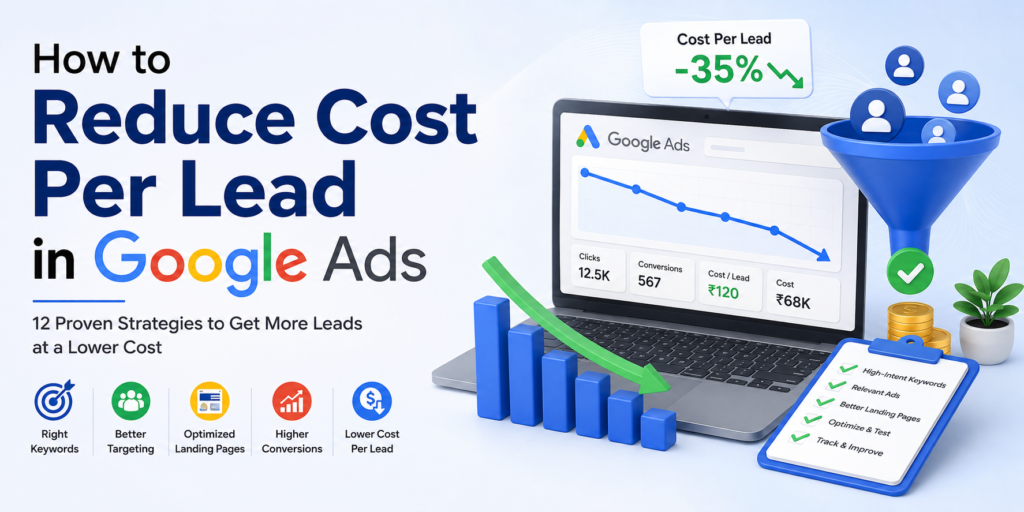
How to Reduce Cost Per Lead in Google Ads: 12 Proven Strategies

Google Ads can be one of the most effective ways to generate targeted leads for a business. However, simply running paid campaigns does not guarantee profitable results. If you are spending a significant amount on advertising but receiving fewer leads, your cost per lead (CPL) may be too high. Reducing the cost per lead in Google Ads is not just about lowering your advertising budget. It requires a combination of better keyword targeting, relevant ad copy, optimized landing pages, accurate conversion tracking, and continuous campaign optimization. In this guide, we will explore practical ways to reduce cost per lead in Google Ads while maintaining lead quality and improving your overall advertising performance. What Is Cost Per Lead in Google Ads? Cost per lead is the average amount you spend on Google Ads to generate one lead. The basic formula is: Cost Per Lead = Total Google Ads Spend ÷ Number of Leads Generated For example, if you spend ₹50,000 on Google Ads and generate 100 leads: ₹50,000 ÷ 100 = ₹500 per lead A lower CPL can improve your return on advertising spend, but remember that the cheapest lead is not always the best lead. Your primary goal should be to generate qualified leads at a sustainable cost. Why Is Your Google Ads Cost Per Lead High? Several factors can contribute to a high CPL, including: The good news is that many of these factors can be improved through proper campaign optimization. 12 Ways to Reduce Cost Per Lead in Google Ads 1. Choose High-Intent Keywords Keyword selection is one of the most important factors affecting Google Ads performance. Instead of targeting only broad keywords with high search volume, focus on keywords that demonstrate strong commercial or transactional intent. For example, a business offering digital marketing training might target: Lower intent:“digital marketing” Higher intent:“digital marketing course in Panchkula” The second search indicates that the user is more likely to be looking for a specific course or service. Use keyword research to identify terms that are relevant to your offering and closely connected to your customers’ purchasing intent. 2. Use Negative Keywords Negative keywords help prevent your ads from appearing for searches that are irrelevant to your business. For example, if you offer paid digital marketing courses, you may want to review searches containing terms such as: The exact negative keywords will depend on your business and campaign objectives. Regularly check your Search Terms Report to identify irrelevant searches and add appropriate negative keywords. This can reduce wasted clicks and help your budget focus on users who are more likely to become leads. 3. Improve Your Ad Relevance Your advertisement should closely match the keyword and search intent. If someone searches for “Google Ads course in Panchkula,” your advertisement should clearly communicate that you offer a Google Ads course in Panchkula. A relevant ad can help attract more qualified clicks and improve the overall user experience. Try to include important elements such as: For example: Learn Google Ads in PanchkulaPractical Training | Expert Mentors | CertificationJoin Today Avoid writing generic advertisements that could apply to almost any business. 4. Optimize Your Landing Page Getting clicks is only one part of Google Ads success. Your landing page needs to convert those visitors into leads. A poorly designed landing page can result in high advertising costs even when your ads are performing well. Your landing page should include: The message on your landing page should also match the promise made in your advertisement. For example, if your ad promotes a “Digital Marketing Course in Panchkula,” the landing page should immediately explain that course rather than sending visitors to a generic homepage. 5. Improve Your Conversion Rate Conversion rate has a direct relationship with your cost per lead. Suppose you receive 1,000 clicks at ₹50 per click. Your total spend is: 1,000 × ₹50 = ₹50,000 If only 50 visitors become leads: ₹50,000 ÷ 50 = ₹1,000 CPL Now suppose you improve your landing page and generate 100 leads from the same 1,000 clicks: ₹50,000 ÷ 100 = ₹500 CPL You have reduced your CPL without reducing your advertising spend. This is why improving conversion rate can be more effective than simply trying to reduce your bids. 6. Track the Right Conversions Accurate conversion tracking is essential for Google Ads optimization. Your campaign should distinguish between meaningful actions and less valuable interactions. Depending on your business, conversions may include: If your tracking is incorrect, Google Ads may optimize toward actions that do not actually contribute to your business. Make sure your conversion setup reflects the actions that matter most to your business. 7. Focus on Qualified Leads Instead of Just More Leads A low CPL does not necessarily mean a successful campaign. Imagine two campaigns: Campaign A Campaign B Although Campaign A has the lower CPL, Campaign B may deliver significantly better business results. Therefore, track lead quality alongside CPL. If possible, connect your CRM or sales data with your advertising strategy so you can understand which campaigns, keywords and audiences generate actual customers. 8. Use the Right Google Ads Bidding Strategy Google Ads provides automated bidding strategies that can help advertisers optimize campaigns toward specific goals. For lead-generation campaigns, conversion-focused strategies such as Maximize Conversions or Target CPA may be appropriate depending on your campaign data, goals and account setup. However, automated bidding should not be treated as a replacement for campaign management. Before relying heavily on automated bidding, make sure that: Automation works best when it has reliable data to work with. 9. Optimize Location Targeting If your business serves specific locations, avoid spending your budget on users outside your service area. For example, a local business serving Panchkula may want to focus its campaigns on relevant areas around Panchkula, Chandigarh, Mohali and Zirakpur, depending on its actual target market. Review location performance regularly. You may find that one location generates: While another location produces expensive clicks and poor-quality enquiries. Use this data to make smarter budget allocation decisions. 10. Analyze

How to Reduce Cost Per Lead in Google Ads: 12 Proven Strategies Read More »

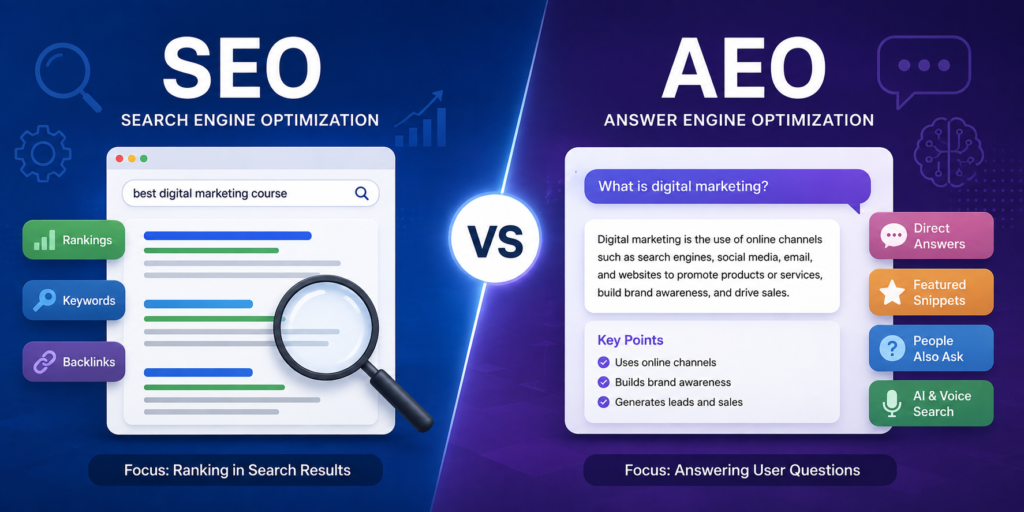
AEO vs SEO Key Differences

AEO vs SEO: What Is the Difference and Why Does It Matter?

Search is changing rapidly. People are no longer relying only on traditional search results to find information. They are increasingly asking complete questions and expecting direct, conversational answers from search engines and AI-powered search experiences. This shift has made Answer Engine Optimization (AEO) an important topic for digital marketers, alongside traditional Search Engine Optimization (SEO). But what exactly is the difference between AEO and SEO? Is AEO replacing SEO? And how can businesses use both strategies to improve their online visibility? The short answer is: AEO and SEO work best together. Google’s current guidance makes this especially clear: SEO fundamentals remain important for visibility in AI-powered search experiences, including Google’s generative AI features. What Is SEO? Search Engine Optimization (SEO) is the process of improving a website and its content so that search engines can understand, index and potentially rank its pages for relevant searches. Traditional SEO focuses on helping a website appear prominently in search results when users search for specific keywords or topics. Some important areas of SEO include: For example, a digital marketing institute may create a page targeting the keyword “digital marketing course in Panchkula.” SEO helps optimize that page so that search engines can understand its relevance and potentially show it when someone searches for that term. What Is AEO? Answer Engine Optimization (AEO) refers to the practice of structuring and improving content so that it can effectively answer users’ questions in search experiences that provide direct or summarized answers. Instead of focusing only on ranking a webpage for a keyword, AEO emphasizes providing clear, useful and direct answers to specific questions. For example, instead of targeting only: “digital marketing course” an AEO-focused content strategy may address questions such as: This approach aligns with how modern search experiences increasingly handle longer and more conversational queries. It is important to note that AEO is not a separate replacement for Google’s core SEO system. Google currently describes AEO as a term used for work focused on visibility in AI search experiences and states that foundational SEO practices remain relevant. AEO vs SEO: Key Difference The simplest way to understand the difference is: SEO focuses on improving visibility in search results, while AEO focuses more specifically on making content useful and understandable as a direct answer to a user’s question. SEO AEO Focuses on search visibility Focuses on answering questions Often targets keywords and search intent Often targets questions and conversational intent Optimizes webpages for search engines and users Structures information so answers are easy to identify and understand Includes technical, on-page and off-page optimization Emphasizes concise, useful and well-structured answers Helps pages perform in traditional search Can help content become useful for answer-oriented and AI search experiences Covers the overall search strategy Can be considered a more answer-focused layer within a broader search strategy However, these aren’t two completely separate disciplines. A strong AEO strategy still benefits from many SEO fundamentals. Why Does AEO Matter in 2026? The way people search is evolving. Users increasingly ask longer and more specific questions, particularly when using conversational and AI-powered search experiences. Google says its AI search experiences can use information from relevant webpages in its Search index to generate responses and provide links to supporting sources. This creates a new opportunity for businesses. Instead of creating content only around short keywords, businesses can build comprehensive resources that answer the questions their audiences actually have. For example, a traditional keyword strategy might focus on: “SEO course” An expanded answer-focused strategy could cover: This gives users more complete information while helping search systems understand the broader subject covered by the page. How SEO and AEO Work Together Businesses should not think of SEO and AEO as competing strategies. Instead, think of AEO as part of a broader modern search strategy. A strong SEO strategy can help make your website: A strong AEO approach can then make the information on those pages: Google’s official guidance recommends continuing to apply foundational SEO practices when optimizing for its generative AI search features. 7 Ways to Optimize Content for AEO 1. Answer Questions Directly When a user asks a question, don’t make them search through several paragraphs before finding the answer. Start the relevant section with a clear answer and then provide additional explanation. For example: What is SEO? SEO is the process of improving a website so that search engines can better understand its content and potentially show it to users for relevant searches. You can then explain the topic in greater detail. This structure improves readability and makes the main information easier to identify. 2. Understand Search Intent Before creating content, understand what users actually want to know. A keyword can have different types of search intent. For example: “digital marketing course” could indicate that someone wants to: Your content should address the most relevant intent rather than simply repeating the keyword. 3. Use Clear Headings and Subheadings Good content structure is important for both users and search systems. Break long content into logical sections such as: Google recommends organizing content in a way that helps visitors navigate and understand the information on a page. 4. Create Question-Based Content Question-based content can be particularly useful when your audience frequently searches for answers. Examples include: You can identify these questions through keyword research, Search Console data, customer conversations and competitor research. 5. Build Topic Depth Don’t create thin pages that answer only one sentence and provide little additional value. Instead, develop comprehensive content around a topic. For example, an article about “SEO for Small Businesses” could cover: Google’s current guidance emphasizes original, helpful and non-commodity content rather than simply producing large amounts of generic material. 6. Support Claims With Reliable Information Trust matters in search. When discussing statistics, industry trends, technical recommendations or other important claims, use reliable sources and provide accurate information. Google’s guidance emphasizes helpful, reliable, people-first content and encourages website owners to focus on content that provides genuine value. 7. Keep Your Website Technically Strong AEO does not eliminate technical

AEO vs SEO: What Is the Difference and Why Does It Matter? Read More »

How to Become a Professional Video Editor

Become a Professional Video Editor: Skills, Tools & Career Opportunities 

Video content is everywhere—from YouTube and Instagram Reels to corporate advertisements, online courses, films, and OTT platforms. Behind every engaging video is a skilled video editor who transforms raw footage into compelling stories. As businesses and creators continue to invest in video marketing, the demand for professional video editors is growing rapidly. Whether you want to work for a company, become a freelancer, or start your own editing business, video editing offers exciting career opportunities with excellent earning potential. In this guide, you’ll learn everything you need to know about becoming a professional video editor, including the skills you need, the software to learn, career options, salary expectations, and practical tips to succeed. What Does a Professional Video Editor Do? A professional video editor is responsible for turning raw video clips into polished, engaging content. Their work involves much more than simply cutting and joining videos. A video editor typically: Professional editors work on: Why Choose Video Editing as a Career? The digital world is creating endless opportunities for skilled video editors. Every business wants high-quality videos to promote products, educate customers, and build their brand online. Here are some reasons why video editing is one of the best creative careers today. High Demand Companies, influencers, educational institutions, startups, and digital agencies constantly need professional editors. Excellent Freelancing Opportunities Many editors work independently and earn by serving clients worldwide. Flexible Work Environment Video editing is one of the few careers where you can work: Attractive Income Experienced editors can earn significantly more by specializing in commercial editing, YouTube editing, or motion graphics. Creative Satisfaction Every project is different, allowing you to tell stories, experiment with creativity, and continuously improve your skills. Skills You Need to Become a Professional Video Editor Success in video editing requires both technical and creative abilities. Technical Skills Learn how to: Storytelling Great editors know how to keep viewers engaged by arranging clips in the right sequence. Creativity Creativity helps make videos more engaging through music, effects, transitions, pacing, and animations. Attention to Detail Small mistakes like poor audio synchronization or awkward transitions can reduce the quality of your work. Communication Skills Professional editors regularly collaborate with clients, directors, designers, and marketers. Best Video Editing Software to Learn Choosing the right software is the first step toward becoming a successful editor. Adobe Premiere Pro One of the most widely used editing tools in the industry. Best for: DaVinci Resolve Known for its powerful color grading capabilities. Best for: Adobe After Effects Perfect for: Final Cut Pro A popular choice for Mac users. Ideal for: CapCut Excellent for beginners and social media creators. Perfect for: Step-by-Step Guide to Becoming a Professional Video Editor Step 1: Learn the Basics Start by understanding: Spend time learning the interface of professional editing software. Step 2: Practice Every Day The best editors become skilled through consistent practice. Try editing: Practice different editing styles to improve your versatility. Step 3: Master Professional Software Focus on one software initially before learning advanced tools. A recommended learning path is: Step 4: Learn Motion Graphics Motion graphics make your videos stand out. Learn: Step 5: Build a Strong Portfolio Your portfolio matters more than your resume. Include projects like: Host your portfolio on platforms like Behance, Vimeo, YouTube, or a personal website. Step 6: Gain Real-World Experience Work on live projects through: Real experience helps you understand client expectations and deadlines. Step 7: Keep Learning Video editing trends evolve rapidly. Stay updated with: Continuous learning will keep your skills relevant and competitive. How to Build an Impressive Video Editing Portfolio A strong portfolio helps you attract clients and employers. Include: Always showcase your best work instead of uploading every project. Freelancing vs Full-Time Video Editing Freelancing Advantages: Challenges: Full-Time Job Advantages: Challenges: Many professionals begin with a full-time job and later transition to freelancing after gaining experience. Video Editor Salary in India Salaries vary based on skills, experience, location, and specialization. Experience Average Monthly Salary Beginner ₹15,000–₹30,000 1–3 Years ₹30,000–₹60,000 3–5 Years ₹60,000–₹1,00,000 Senior Professional ₹1,00,000+ Freelancers can earn even more by working with international clients, agencies, and content creators. Career Opportunities After Learning Video Editing A professional video editor can work as: Industries hiring video editors include: Common Mistakes Beginners Should Avoid Avoid these mistakes when starting your career: Future Scope of Video Editing The future of video editing is brighter than ever. Businesses are investing heavily in video marketing, online education is expanding, and short-form content continues to dominate platforms like Instagram, YouTube, and LinkedIn. At the same time, AI-powered editing tools are speeding up repetitive tasks, allowing editors to focus more on creativity and storytelling. Professionals who combine editing expertise with motion graphics, AI tools, and digital marketing knowledge will have a competitive advantage. As the demand for engaging visual content grows, skilled video editors will continue to enjoy excellent career opportunities across industries. How a Professional Video Editing Course Can Help While you can learn through online tutorials, a structured course can accelerate your learning by providing: If you’re serious about building a career, enrolling in a practical, industry-focused training program can help you become job-ready faster. Conclusion Video editing is more than just a technical skill—it’s a creative profession that combines storytelling, design, and technology. With the growing demand for video content across businesses, entertainment, education, and social media, becoming a professional video editor is an excellent career choice in 2026 and beyond. Start by learning the fundamentals, master industry-standard software, practice consistently, and build a portfolio that showcases your creativity. Whether you aim to work for a company, freelance, or launch your own editing business, dedication and continuous learning will help you succeed. If you’re ready to turn your creativity into a rewarding profession, now is the perfect time to begin your journey toward becoming a professional video editor.

Become a Professional Video Editor: Skills, Tools & Career Opportunities  Read More »

100 Plus ChatGPT Prompts for Digital Marketing

100+ ChatGPT Prompts for Digital Marketing (Copy & Paste Guide)

Artificial Intelligence has become an essential part of digital marketing, and ChatGPT is one of the most powerful AI tools available today. Whether you’re an SEO professional, content writer, social media manager, PPC expert, freelancer, or business owner, ChatGPT can help you complete marketing tasks faster and more efficiently. The key to getting excellent results lies in writing the right prompts. A well-crafted prompt provides ChatGPT with clear instructions, enabling it to generate accurate, creative, and actionable responses. In this guide, you’ll discover 100+ ChatGPT prompts for digital marketing, categorized by SEO, content writing, Google Ads, social media, email marketing, keyword research, YouTube, and Local SEO. Simply copy, customize, and use them to save time and improve your marketing campaigns. What Are ChatGPT Prompts? A ChatGPT prompt is the instruction you provide to ChatGPT. The more detailed your prompt, the better the response. Example ❌ Basic Prompt: Write a blog on SEO. ✅ Better Prompt: Act as an SEO expert and write a 1,500-word beginner-friendly blog on “On-Page SEO Checklist.” Include headings, FAQs, examples, and a conclusion with a call to action. This simple improvement can significantly enhance the quality of the output. Why Digital Marketers Should Use ChatGPT ChatGPT helps marketers: How to Write Better AI Prompts For the best results, always include: A detailed prompt always delivers better responses than a vague one. 20 SEO Prompts Use these prompts to improve your search engine optimization workflow. 20 Content Writing Prompts 15 Google Ads Prompts 15 Social Media Marketing Prompts 10 Email Marketing Prompts 10 Keyword Research Prompts 10 YouTube Marketing Prompts 10 Local SEO Prompts Bonus Power Prompts These advanced prompts can help you complete larger marketing projects: Frequently Asked Questions Are ChatGPT prompts free to use? Yes. You can create and customize prompts for your business needs. Can ChatGPT replace digital marketers? No. ChatGPT enhances productivity but still requires human expertise, creativity, and strategic thinking. Which prompts are most useful for SEO? Keyword research, content optimization, meta tag creation, content planning, and FAQ generation are among the most valuable. Can beginners use ChatGPT for digital marketing? Absolutely. ChatGPT simplifies complex marketing tasks and helps beginners learn faster. How often should I update my prompts? Review and refine your prompts regularly to align with new AI capabilities, search trends, and marketing goals. Final Thoughts ChatGPT is transforming the way digital marketers work. From generating blog ideas and SEO strategies to writing Google Ads, social media posts, and email campaigns, the right prompts can save hours of manual effort while improving content quality. Instead of starting every task from scratch, build your own prompt library and refine it over time. The more specific your prompts, the more valuable the responses you’ll receive. By using the 100+ prompts shared in this guide, you can streamline your workflow, boost productivity, and focus on what matters most—creating successful digital marketing campaigns that drive real results.

100+ ChatGPT Prompts for Digital Marketing (Copy & Paste Guide) Read More »